Put a streetcar in the exhibit
Trolleymen recreates Pittsburgh's streetcars as they ran in the 1970s and 1993. The same simulator can recreate your town and its line, and put visitors at the controls of a cab with real pedals.
Start a conversation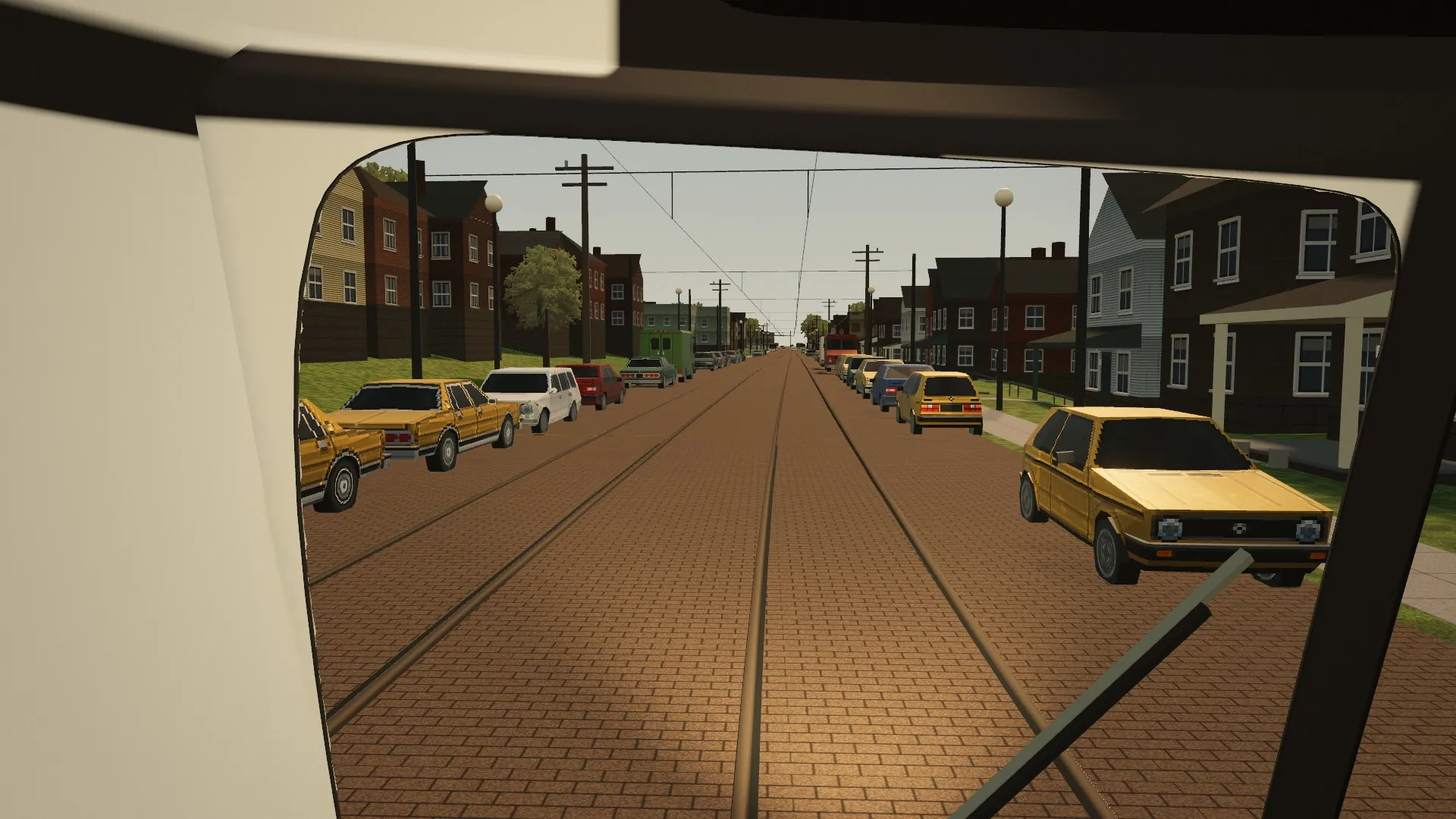
Recreate your town or your era
Every streetcar line has a story a visitor can drive. The game's Pittsburgh was built from maps and photographs, and from the memories of people who rode and ran the cars. The same method works for any line.
New towns, built quickly
The engine reads a town's streets from OpenStreetMap and its ground from U.S. Geological Survey elevation, then lays your route over them, so a first drivable version comes together quickly. The Boston, San Francisco and Toronto previews in the game started this way. The landmarks and the stories come next, and you can drive each stage as it is built.
A real place
Your line as it ran in the year you choose, with its stops where they were and its cars in the paint they wore. Streets that survive come from OpenStreetMap. What has gone is rebuilt from old maps and photographs.
A town of a period
If the line is long gone, or the museum tells a regional story, the town can be a composite of real streets and buildings of the period. A visitor learns its route in minutes. It is labeled as a composite so no one mistakes it for a map.
The cars
The game has the PCC in its common forms and the Siemens SD-400 light rail car, plus an older Jones car. Any of them can wear paint drawn from photographs. A wooden double-truck car or an interurban would be a new model.
Work order
| Part | What the society brings | What gets built |
|---|---|---|
| The line | Track maps, route lists, timetables, the stops and their names | The route with its stops, curves, grades, switches and speed limits |
| The town | Photographs of the streets, fire insurance maps, a list of landmarks | Streets, buildings and landmarks along the line, modeled from the photographs |
| The cars | Car numbers, photographs of each side, paint schemes, the signs they showed | The cars in their liveries, with their roll signs and numbers |
| The people | Stories, rule books, oral histories, the fares and how they were paid | Riders, fares, the operator's rules and the notes a visitor finds along the way |
| The day | The season, and the events that mattered, such as a fair or a snowstorm | The light, the weather and the named runs visitors can pick |
The exhibit cab
A PCC was driven with the feet. The left foot held down a safety pedal while the right worked the brake and the power. An exhibit cab puts those pedals under a visitor's feet and the car's windows on three screens around them.
Swipe sideways to see the whole sketch.
A practical build
- Computer. A desktop PC with a mid-range graphics card, running the game in Chrome or as its desktop app. Three screens need three times the picture, so size the card for that.
- Screens. Three 27-inch monitors on a triple mount with the side screens angled in, or one ultrawide monitor for a smaller footprint.
- The controls board. A USB board such as an Arduino Leonardo or Pro Micro, or a ready-made arcade encoder. It shows up on the PC as a keyboard or a game controller, with no drivers to install.
- Buttons. Industrial or arcade pushbuttons for sand, doors, the track switch and the headlight, a red mushroom button for the emergency stop, and a keyed switch for the docent.
- Pedals. A set of sim-racing pedals, which already connect over USB as a game controller, or pedals built to the PCC's pattern with a position sensor in each. A floor button for the gong.
- The console. Plywood or sheet steel, painted like the car's dash, with labels a visitor can read at a glance. Speakers in the console and, if wanted, a vibration transducer under the floor plate for the rumble of the motors.
Running it on the floor
- Attract mode. While no one is at the controls, the screens show cars passing on the line and a card that says how to begin.
- Short sessions. A visitor drives one short run and gets a score card at the end. The next visitor starts fresh.
- Docent controls. The docent's key resets a run or changes the era and route, with no keyboard in sight.
- Lockdown. The machine starts straight into the game at opening time and restarts itself after a fault. Visitors can't get out to the desktop.
- Accessibility. A seated cab with room for a wheelchair and buttons within easy reach. Hand controls for visitors who can't use the pedals, and a large-print instruction card. The game shows its cues on screen as well as in sound.
What exists today, and what would be built
The simulator is a working game. Here is what an exhibit would need that it doesn't do yet.
| Part | Where it stands | Status |
|---|---|---|
| Where it runs | In a web browser on a computer or tablet, and in the Meta Quest browser through WebXR. The desktop app starts full screen and runs offline. It is tested on a Mac, and the Windows and Linux builds have not been tried on those machines yet. | Today |
| Keyboard, controller, touch | The keyboard, a standard game controller such as an Xbox or PlayStation pad, and the on-screen pedals on a tablet all drive the car and work the menus. | Today |
| Buttons on a USB board | A board that types the game's keys works now, for every control from the pedals to the headlight. The same buttons wired as a game controller work through the controller layout. | Today |
| Power and brake pedals | The car is driven on two pedals, as the PCC was. A controller's triggers and the tablet's pedals already give a pedal's full travel, and reading a real pedal over USB the same way is a small addition. | New work |
| Safety pedal | The PCC's dead-man pedal, which stops the car when the foot comes off it, is not in the game yet. | New work |
| Three screens | The game draws one view, so three screens show one wide, flat picture. A view for each screen, angled like the car's side windows, would be built for the exhibit. | New work |
| Attract mode and sessions | The game already films itself along the line for its trailers. The attract loop, the timed sessions and the docent's key are new work. | New work |
| Kiosk lockdown | The desktop app already blocks zoom, reload and the developer tools. Starting at opening time and restarting after a fault would be added. | Part built |
| Your town | Pittsburgh is built. The Boston, San Francisco and Toronto previews were started from OpenStreetMap with the same tools and show how far the automatic part goes. Landmarks and period detail take research and modeling for each place. | New work |
What visitors learn
Driving draws visitors in, and the run teaches them about the place and its people.
How the streetcar worked
How a car was driven and kept to time, and why the lines went where they did. Pittsburgh's story also shows how a streetcar system was rebuilt as light rail.
The neighborhood
The stores, churches, stations and houses along the line as they were in that year, which a visitor can set beside the same street today.
Oral histories
Recorded memories of operators and riders can be placed along the line, at the stop where a story happened. The game's career already hands out letters from riders and notes from the instructor.
School visits
A run with a timetable teaches attention and care. Two eras side by side show how a city changes.
How a collaboration could work
Each project is shaped with the museum or society. Nothing on this page is a quote or a promise of dates.
- A conversation
What you have, what you would like visitors to take away, and where the exhibit would stand.
- A scope on paper
The place and the year, the line and its cars, the kind of exhibit, and who looks after it afterward.
- Research together
You share maps, photographs, timetables and people who remember. A first plan of the line comes back for your corrections.
- A first drive
An early version of the line to try online or on site, and changes from the people who knew it.
- The exhibit
The cab or the kiosk built and tried with visitors before it opens.
- Opening and after
Installation, a guide for the docents, and a plan for updates and repairs.
Get in touch
If your museum or historical society has a streetcar story, write to Adam about it.
Write to
adam@adamsullivanconsulting.com
It helps to know:
- the place, the line and the years you have in mind
- what you hold: maps, photographs, timetables, recordings
- the space you have and the visitors you expect
- whether you are thinking of a kiosk, a desk or a full cab